Capoed Chords
The “Capoed Chords” feature allows you to hear chords in a different key than they’re displayed.
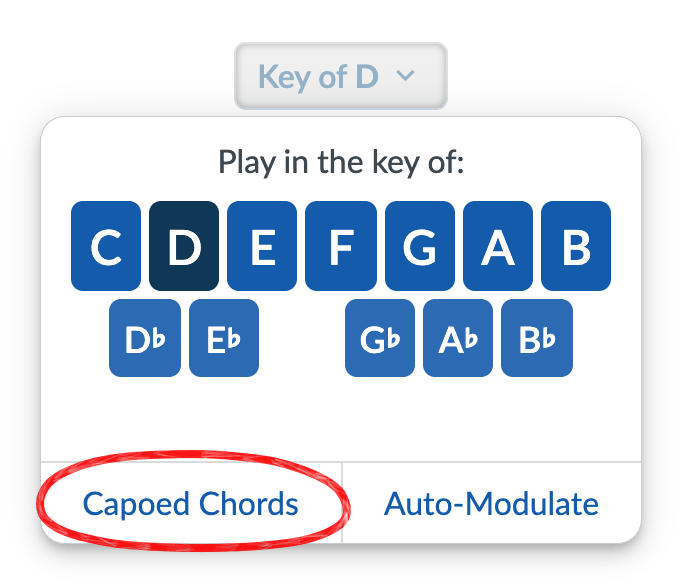
You can enable Capoed Chords by opening the Key menu under any song title, then clicking on “Capoed Chords”:
You’ll then be able to choose a capo position, i.e., which key you would like the chords to be visible in:
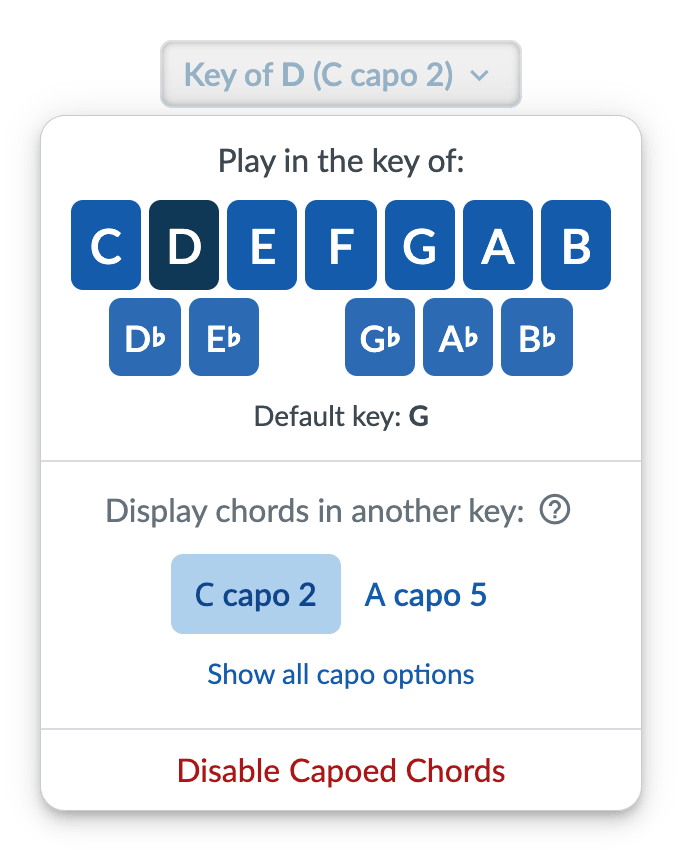
For example, say you have a guitar or banjo and want to play a tune in the key of B, but you intend to put your capo on the fourth fret and play in G. In Strum Machine, you can set the key (what you hear) to B, and then enable Capoed Chords and select “G capo 4”. Now the chords displayed will match the key-of-G shapes your hands are making on your instrument, but you’ll still hear playback in the key of B.
(What’s that other option, you ask? Learn about Auto-Modulate.)
Want to hear the guitar in Strum Machine play chords with the capo on a particular fret? That can be found under the guitar section of Band Settings.
Note: Medleys don’t have a “Capoed Chords” option, but we’ll consider adding one if there’s demand for it. Let us know!